Validator
The Validator module is the heart of IV, designed to help you validate IFC model elements against a set of rules, ensuring the integrity of your model’s data.
IFC+SG
This is the go-to validation set for IFC+SG compliance. It is based on BCA’s Excel mapping file. It checks whether properties are in the correct property set, use the correct data type, and the property value.
We have also created a dictionary page (derived from the same mapping file) to browse the properties required for IFC+SG compliance.
Refer to the IFC+SG section for configuration details.
Rules
Rules are self-defined building blocks used to create custom validation criteria. Each rule is associated with a specific IFC element and checks conditions such as the presence of required attributes or the correct data type. Refer to the Rules section for more information on creating and managing rules.
Templates
Templates are a collection of rules. Selecting the template will apply all the rules defined in the template. Refer to the Templates section for more information on creating and managing templates.
Validation
After opening an IFC file, click Validate to open the Rules Selection dialog. Select IFC+SG, an individual rule, or a template to validate against, then start the validation. Results are shown in the Results Panel, highlighting any elements that do not meet the specified criteria.
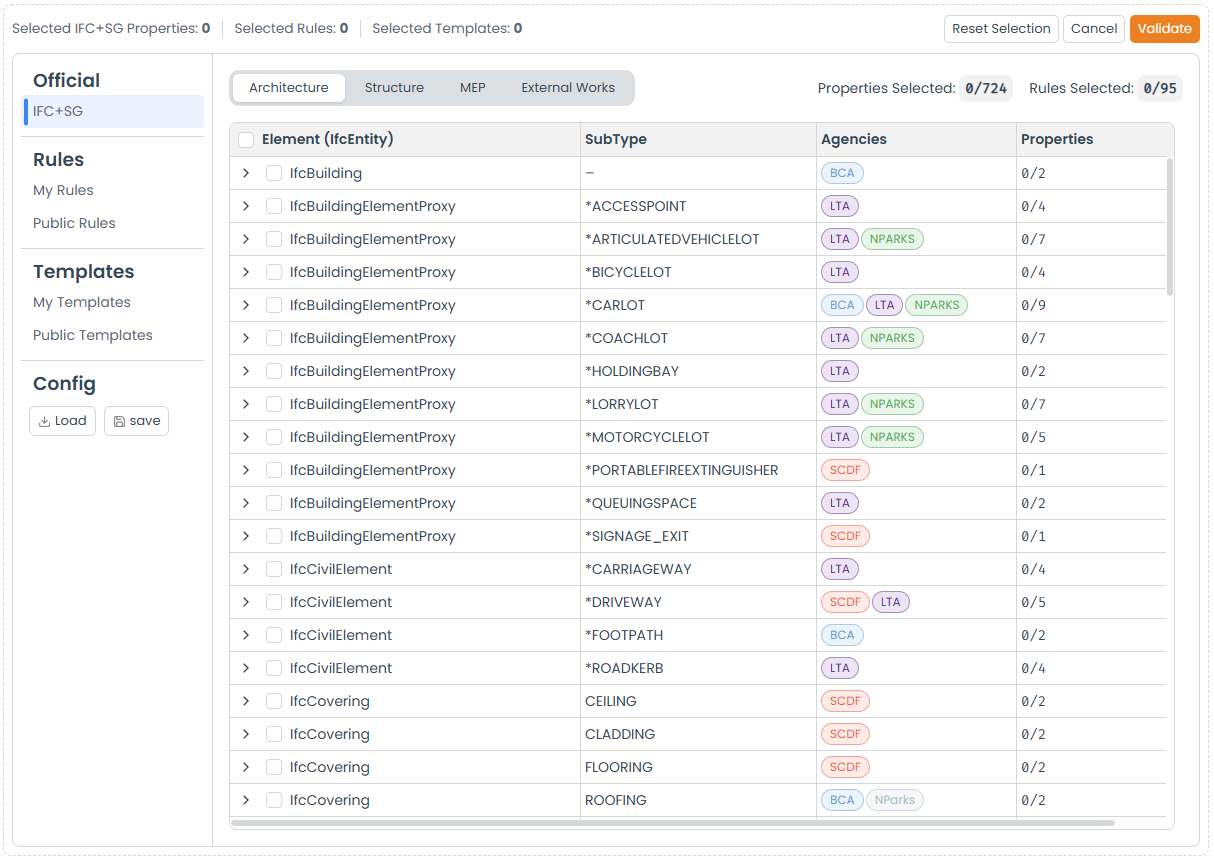
For convenience, you can also save your current configuration and load it later when you need to run the same validation again.
Results
Once the validation process is complete, the Results Panel will show the validation outcomes.

The summary section provides an overview of the validation results, including the total number of elements validated, how many passed or failed, and all the rules that were applied.
In the IFC Entity section, entities with failed elements will display an indicator showing the number of failed elements. By clicking on the IFC entity, you can view all related elements, with the failed ones highlighted in red.
The Properties Panel of a failed element will display the reason for failure, along with the specific rule that caused the failure.
Export
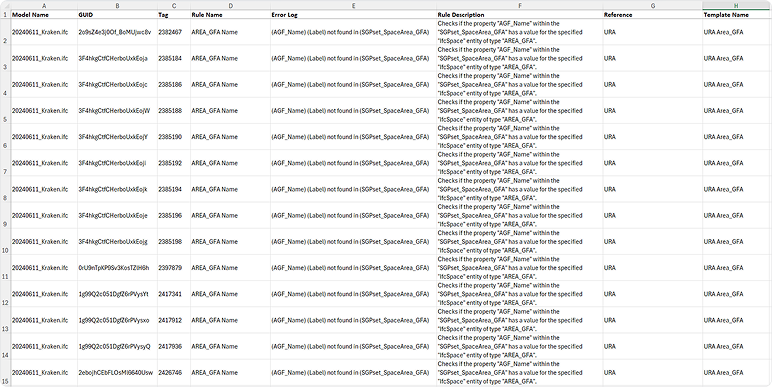
You can export the validation results in CSV format by clicking Download Results. The exported file includes the IFC entity, element ID, and the reason for failure.